SSS Portal Complete Guide

Navigating government services online can sometimes feel overwhelming, but the SSS Portal makes life a lot easier for Filipino workers and employers alike. Imagine checking your contributions, applying for loans, or updating your information—all from the comfort of your home. Sounds convenient, right? Yet, many still hesitate, fearing errors or online glitches. This guide will walk you through everything you need to know about the SSS online services, helping you unlock the full potential of your My.SSS account.
What Is the SSS Portal?
SSS Portal is the official online platform of the Social Security System (SSS) in the Philippines. It allows members—whether employees, self-employed, OFWs, or employers—to access their accounts and manage SSS transactions without stepping into a branch.
Why is this important? Before the portal, tasks like checking contributions, applying for loans, or updating personal information required multiple trips to an SSS branch. That could take hours or even days. The SSS portal login has changed the game by offering real-time access to SSS online services, making it more convenient and less stressful.
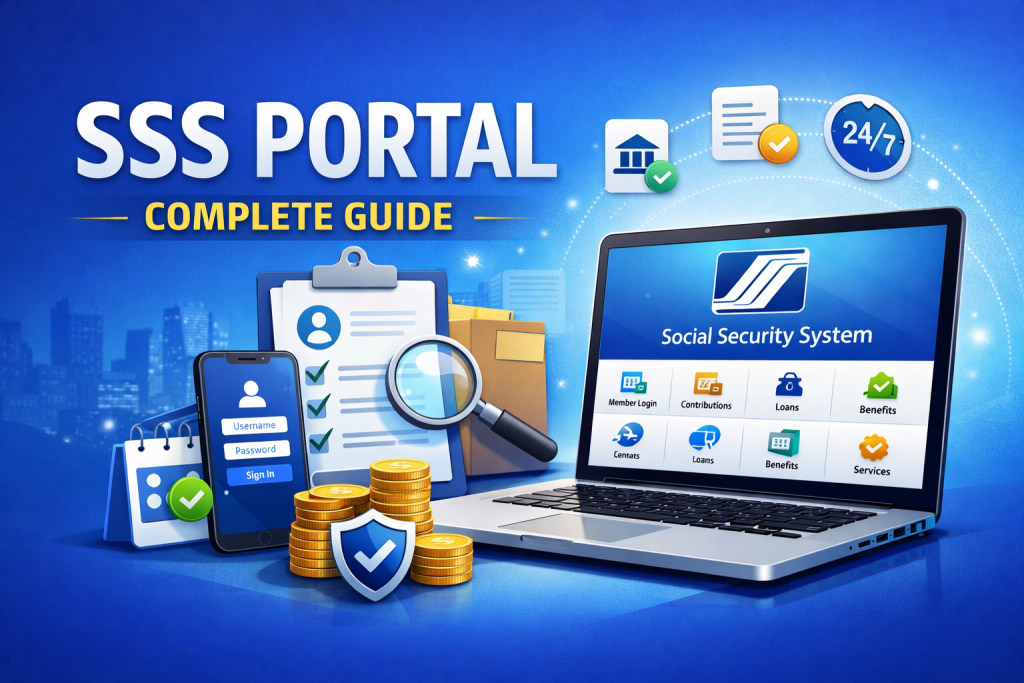
Key Features of the SSS Portal
The SSS portal isn’t just a login page; it’s a powerful hub for all your SSS transactions. Some of its key features include:
- Online Contribution Tracking – Check your contributions anytime and anywhere.
- Loan Applications – Apply for salary or calamity loans directly online.
- Benefit Claims – Access information about retirement, sickness, maternity, and other benefits.
- Personal Information Update – Change your contact details, address, or employment information.
- Employer Functions – Employers can submit reports, pay contributions, and manage employee records.
- Notifications & Alerts – Get reminders about upcoming payments, deadlines, or new SSS policies.
The portal is designed to be user-friendly, though sometimes the system can be slow during peak hours. That’s normal and nothing to panic about—but knowing this ahead can save frustration.
SSS Contribution
Understanding your SSS contribution online is one of the most popular reasons members use the portal. Through My.SSS account, you can see:
- Your monthly contribution history
- Employer contributions
- Self-employed or voluntary contributions
- Total credited years
One mistake many people make is assuming the portal automatically updates contributions instantly. While it’s fast, some employer submissions may take a few days to reflect. Always double-check and keep a record of your payments.
SSS Employer
Employers also benefit greatly from the SSS portal. Instead of physical submission, companies can:
- File monthly contribution reports online
- Pay contributions through e-payment options
- Generate reports for employees’ benefits
- Track compliance with SSS regulations
For small business owners, this can be a lifesaver. Fewer trips to the branch mean more time focusing on the business itself.
SSS Loan
Whether it’s for urgent expenses or personal needs, SSS Loan are a common reason members log in. Through the portal, you can apply for:
- Salary loans
- Calamity loans
- Educational or emergency loans (if eligible)
Applying online is convenient, but watch out for mistakes. Missing documents or incorrect information can delay approval. Tip: Double-check your SSS ID and ensure your personal info matches what’s on file.
SSS Hotline
Sometimes, the portal may leave you with questions. The SSS Hotline is your lifeline for clarifications. You can reach them for:
- Loan inquiries
- Contribution issues
- Portal access problems
- General SSS questions
It’s always comforting to know that help is just a phone call away, especially if you’re new to SSS online registration.
SSS ID
Your SSS ID is more than just a card—it’s your gateway to benefits and services. The portal allows members to:
- Request replacement IDs
- Track UMID card applications
- Link IDs for online transactions
Many people underestimate how critical it is to have the correct ID linked to their account. Small errors can block loan applications or contribution tracking.
SSS LoanLite
A relatively new feature, SSS LoanLite, allows members to apply for loans faster with simplified requirements. Through the portal, you can:
- Compute loan eligibility
- Apply directly online
- Track loan status
It’s a reflection of SSS’s push towards digital convenience, though some members still prefer branch visits out of habit.
SSS Pension Reform Program
The SSS Pension Reform Program aims to improve retirement benefits. Through the portal, members can:
- Monitor pension contributions
- Simulate retirement benefits
- Apply for early or regular pension
For many, this is a huge relief. Knowing your future is secure and seeing projections online reduces anxiety about retirement.
SSS Portal Security and Account Safety
A major concern for many users is security. SSS takes this seriously. Here are tips to keep your SSS portal account safe:
- Use strong, unique passwords
- Enable two-factor authentication (TOTP)
- Avoid logging in on public Wi-Fi
- Regularly monitor account activity
- Log out after every session
Even the best systems have minor glitches, so staying vigilant is key. Mistakes happen, but preparation prevents major headaches.
SSS Pension
The SSS pension can now be easily managed online. Members can:
- Check monthly pension amounts
- Track credited years
- Review updates on pension reform initiatives
A little-known fact: Many members miss out on pension benefits because their contributions weren’t properly credited. Regularly reviewing your SSS contribution online is crucial.
Common Problems and Solutions in the SSS Portal
While convenient, the portal isn’t perfect. Some common problems include:
- Login issues – Usually due to incorrect credentials or expired passwords.
- Payment mismatches – Employer contributions sometimes reflect late.
- Loan delays – Often caused by missing documents or system errors.
- Website downtime – Common during high traffic periods.
Quick solutions: Reset passwords, contact the SSS hotline, double-check documents, or try off-peak hours. Being aware of imperfections reduces frustration.
SSS Calamity Loan
In times of disaster, the SSS calamity loan is a crucial support system. The portal allows members to:
- Apply online during calamities
- Track approval and disbursement
- Ensure funds are used for recovery
It’s reassuring to know that help is just a few clicks away, even if the physical branch is inaccessible.
FAQs
Q1: How do I register for an SSS portal account?
A1: Visit the official SSS website, click “Not yet registered?”, provide your SSS number, and follow the instructions.
Q2: Can I apply for a loan online?
A2: Yes! Salary and calamity loans can be applied for directly via your My.SSS account.
Q3: How do I check my contributions?
A3: Log in to your portal account, select “Contributions”, and view your full payment history.
Q4: What if I forget my password?
A4: Use the “Forgot Password” option to reset your credentials via email.
Q5: Is the SSS portal secure?
A5: Yes, with proper security measures like strong passwords and two-factor authentication, your account is safe.
Conclusion
The SSS Portal is a powerful tool that makes managing your contributions, loans, and benefits much simpler. From checking your SSS contributions online to applying for calamity loans or monitoring your pension, it brings convenience right to your fingertips. Mistakes and glitches happen—but with patience, preparation, and knowledge, you can navigate the system smoothly.
By embracing the SSS online services, you’re not just saving time—you’re taking control of your financial security and future. So, if you haven’t explored your My.SSS account yet, today is the perfect day to start. After all, your future self will thank you.